Install Ubuntu on DELL Latitude ST Tablet
NOTE: It’s all testing and not stable! Try at your own risk!
Attention:Achtung
The GMA600 graphic hardware acceleration is not working !
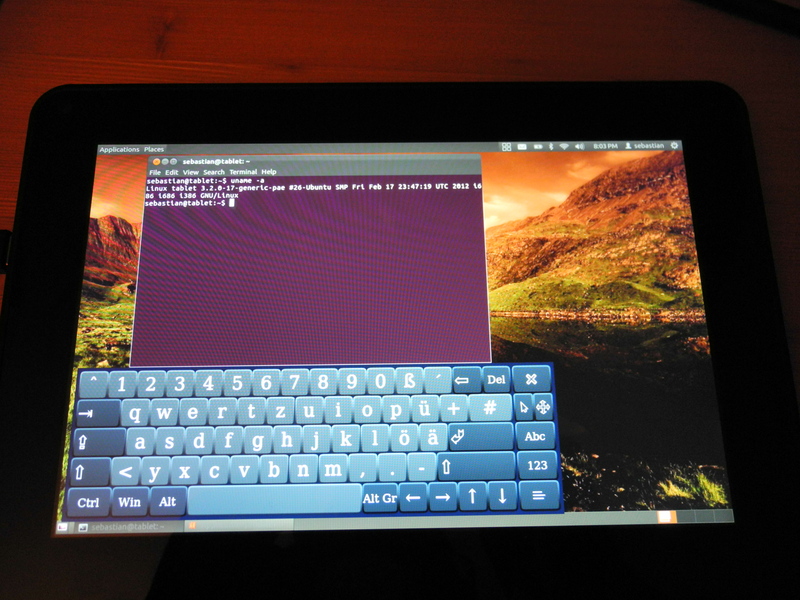
1. InstallInstallation
You need USB-Hub, USB-Keyboard and an USB-Stick.
1.1 Download UbuntuUbuntu herrunterladen
First download the latest Ubuntu release (currently Ubuntu 12.04 Alpha 2)
Download Daily BuildDaily Build herrunterladen
Choose ‚precise-desktop-i386.iso‘ and download this ISO.
Note: You need Ubuntu 12.04, because the Psb_gfx drivers are already integrated in this version.
1.2 Create Ubuntu USB-Installer
Create an bootable USB-Installer with this ISO. Create USB Installer HowTo or this: USB Creator.
1.3 Start install
Connect USB-Hub to your tablet and the USB-Keyboard with the USB-Installer.
Now boot and press „F12“ and boot from the USB-Stick.
Install Ubuntu as you like (or use the live system).
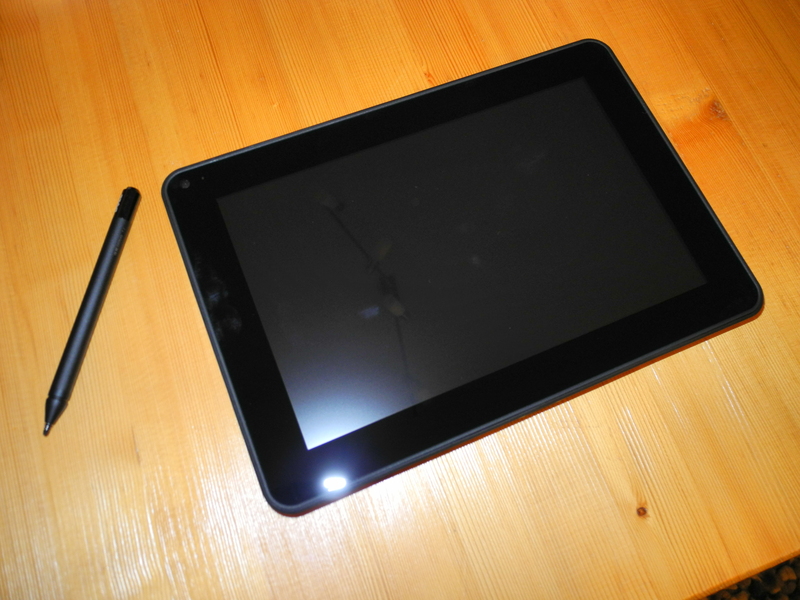
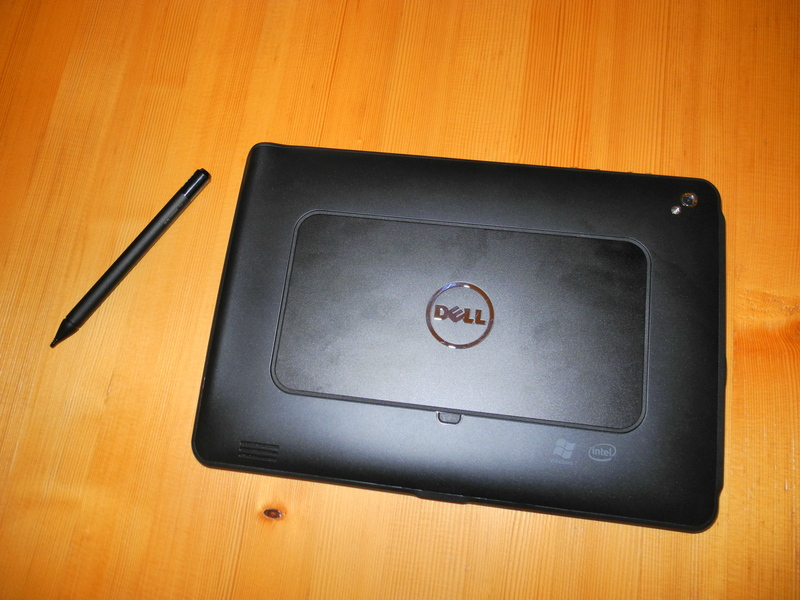
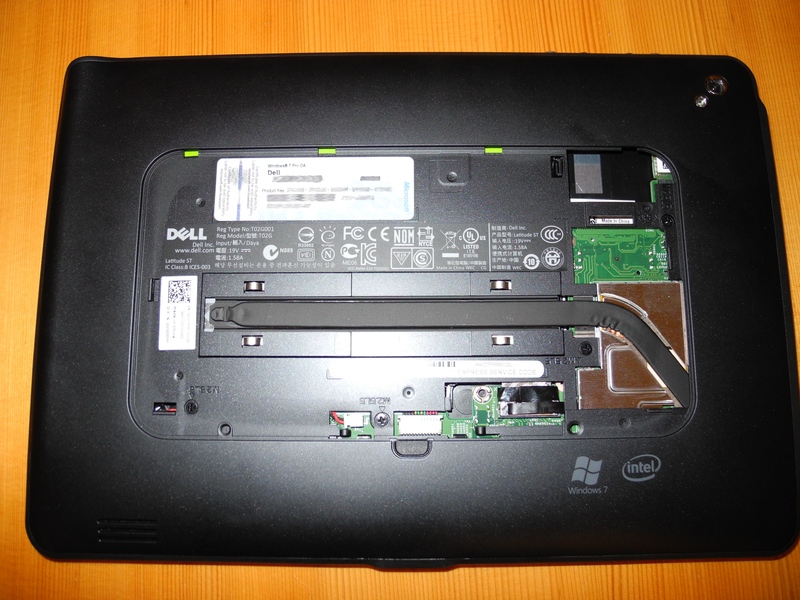
2. Images
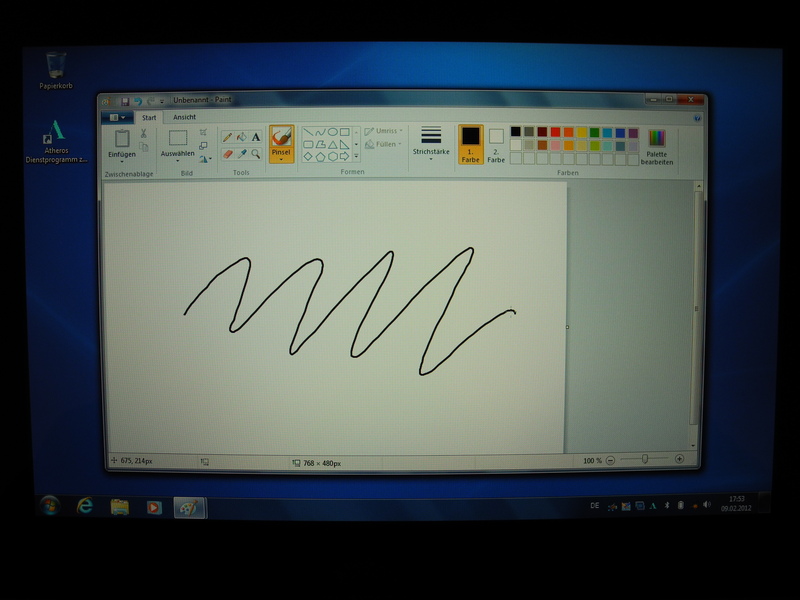
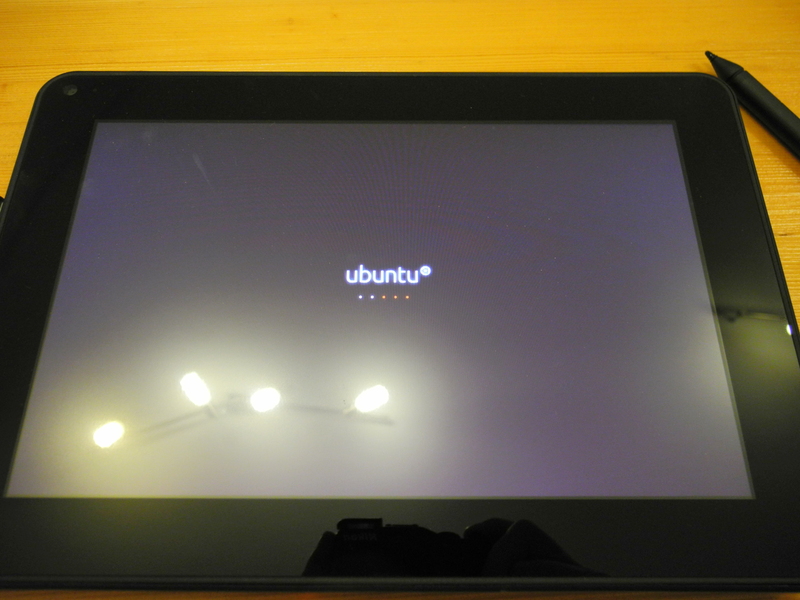
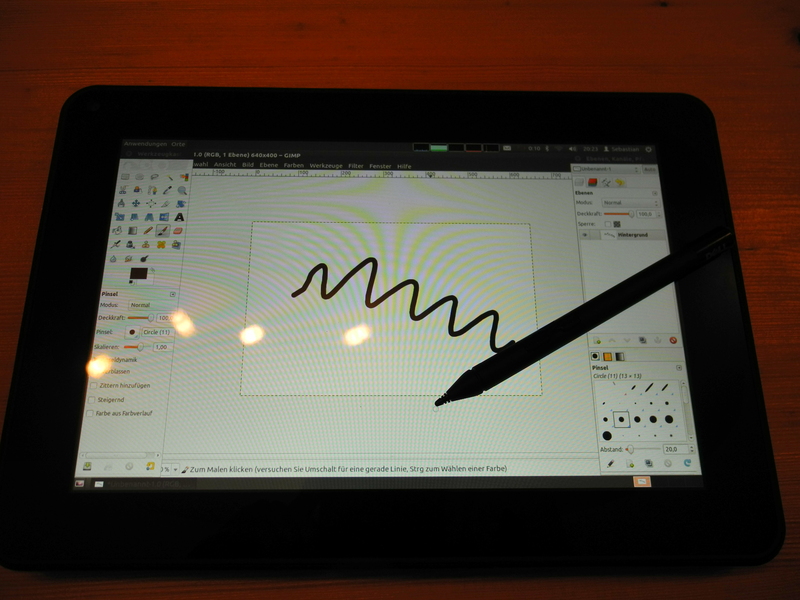
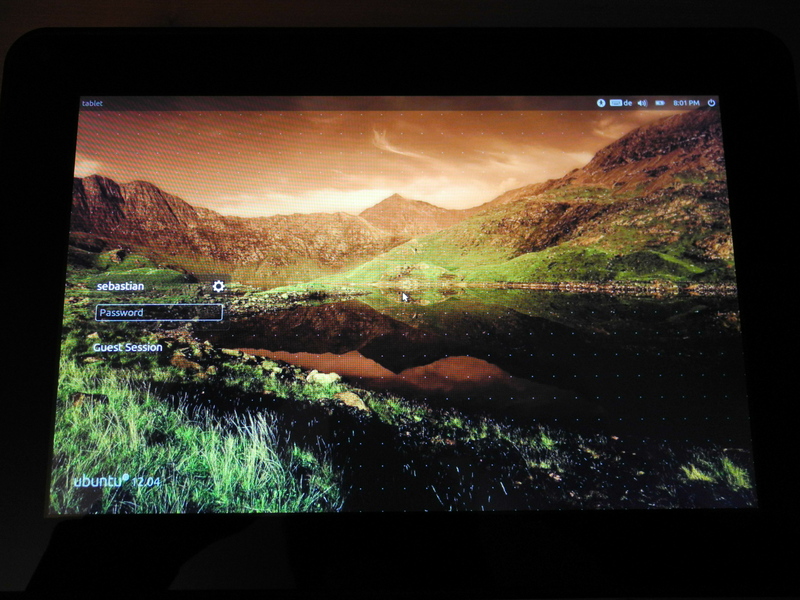
3. Known problems
3.1 WLAN not working
It is an ‚Atheros Wireless WLAN BT 1535C Half MiniCard‘.
The chip of this WLAN card is: „Atheros AR6x02/AR6003 NWF WLAN“.
http://wireless.kernel.org/en/users/Drivers/ath6kl
Thanks to Patrick and kvalo i get the card to work:
rmmod sdhci_pci
rmmod sdhci
modprobe sdhci debug_quirks=0x2
modprobe sdhci_pci
To enable it on startup edit „/etc/default/grub“ and change „GRUB_CMDLINE_LINUX_DEFAULT“ to:
GRUB_CMDLINE_LINUX_DEFAULT="quiet splash sdhci.debug_quirks=0x20"
And run:
update-grub
3.2 X Server not working
Try:
modprobe psb_gfx
/etc/init.d/lightdm restart
4. Links:
Hardware Support Components Video Cards Poulsbo
Get the Best Performace from the GMA 500
GMA500 Ubuntuusers
GMA500 psb_gfx
Dell Latitude ST
Ubuntu Daily Build
Linux Wireless ath6kl Driver
Please send me response how it works with your tablet.
Install Foswiki on Ubuntu with Nginx Racktables custom report
Can i install Ubuntu 10.10 in this tablet?…i need the kernel 2…ubuntu 12.04 use kernel 3 :S…
You can but you have to install graphics drivers by hand.
Until 12.04 there will be no X-Server for you after installtion.
See https://wiki.ubuntu.com/HardwareSupportComponentsVideoCardsPoulsbo
„A functioning psb_gfx driver is included „out of the box“ with Precise Alpha versions“
Hey thanks for the quick answer!
I tried to install and tried to use live
from a usb and a cd, but the tablet kick
me to the console and show this :
Linux ubuntu 2.6.35-22generic #33-Ubuntu SMP Sun Sep 19 20:34:50 UTC 2010 i686
GNU/Linux
Ubuntu 10.10
Welcome to Ubuntu!
*Documentation: https//help.ubuntu.com/
To run a command as administrator (user“root“), use „sudo „.
See „man sudo_root“ for details.
ubuntu@ubuntu:~$
can you help me?
Ubuntu tries to start the graphical user interface but there is no driver for your GMA600 display adapter.
Try Ubuntu 12.04 Alpha 2.
Hey bro! thanks a lot! (Y)…i’ll wait for a 12 stable version!…
thanks again!
Hi, I tried to install it with ubuntu 12.04 Beta I only get half the screeen?
And after install it will not boot up it goes to a black screen?
Please help.
Hi,
Use „STRG + ALT + F1“ for a console screen.
Execute „/etc/init.d/lightdm restart“ (as root or with sudo)
Greetings
Sebastian
Installed kubuntuu 12.4 and plasma-active from the ppa, using a wlan usb dongle.
If someone get’s the internal wlan card to work please post.
btw, I also have to restart kdm to see something.
Thanks to kvalo in #ath6kl I got the device to work.
[16:30:01] rmmod sdhci_pci
[16:30:09] rmmod sdhci
[16:30:33] modprobe sdhci debug_quirks=0x2
[16:30:38] modprobe sdhci_pci
to enable it on boot you have to change /etc/default/grup
and add sdhci.debug_quirks=0x20 to GRUB_CMDLINE_LINUX_DEFAULT=“quiet splash “
then run update-grub
The device is working but from time to time I get some lags
Thanks a lot !
I got this lags on windows, too.
What kind of lag are you seeing? If it’s over wifi with ath6kl please send a report to the linux-wireless mailing list. More info in the wiki:
http://linuxwireless.org/en/users/Drivers/ath6kl
Hi, i found a news: …Kernel 3.3 support The DRM/KMS graphics driver for Intel’s GMA500, GMA600 and GMA3600 graphics cores, developed by Intel employee and kernel veteran Alan Cox…. (http://www.h-online.com/open/features/What-s-new-in-Linux-3-3-1466872.html)
Are you try it?
I would buy it, but I’m waiting for is completely compattibile with linux
Greetings
Leo
Hi, I am a complete newb to all of this stuff, but am trying to get kubuntu active working on my Latitude ST…. I think I only have that wifi driver to go but have no idea what anyone is talking about when it comes to installing it..
Can anyone advise my of a step by step to do something like this?
I send you an e-mail.
Do you can send mail for me too? Thanks!!!
please send me also a PM with the install instructions
Thanks
Hi can you email me as well thanks
chw80(at)usa.com
Thanks
could you send me email as well. faan4u @ yahoo.com
Can you send me an email too? cant get wifi working, I dont understand how to install the driver package.
No driver package.
Just
Greetings
HI, thank you so much for this! I really like this machine but it is a bit slow with Windows.
Now for my problem, I installed Ubuntu 12.04 beta the precise daily. But after reboot the screen just go blank. No splash screen, no nothing. I know this is not much to go on, but any ideas?
Hi,
connect USB-Keyboard
Switch to console (STRG + ALT + F1)
Login
run „sudo /etc/init.d/lightdm restart“
Greetings
Sebastian
Thank you so much! both for the solution and the quick response!
For me it also wokrs to swtch to „Ctrl + Alt + F1“ and then switch back to „Ctrl + Alt + F7“.
I try to change /etc/default/grub
GRUB_CMDLINE_LINUX_DEFAULT=“poulsbo.blacklist=yes console=tty1 sdhci.debug_quirks=4″
machine is working very well
Follow this advice, it works very well indeed.
Does anyone succeed screen rotation ?
was you able to rotate the screen?
No i don’t.
But i see the key/position notifications in the syslog.
I edit GRUB an put GRUB_CMDLINE_LINUX_DEFAULT=”poulsbo.blacklist=yes console=tty1 sdhci.debug_quirks=4″ as smaraid says: Works very well for me too.
Thanks a lot
hi, I do this process but my resolution is 800 x 600. what I can do? I use Ubuntu 12.04. Sorry my english. And thanks for help.
this definitely helped me get kubuntu-active going on my Latitude ST. Thank you!
Someone managed to make the camera work?
does anybody have some success with the kubuntu active 12.10 beta 1?
Short after the boot the screen gets black and the device completely unresponsively.
I tried all proposed fixes with no success.
http://cdimage.ubuntu.com/kubuntu-active/releases/12.10/beta-1/
Cheerrs
Patrick
Hi,
i have the same problem.
This happens on every Kernel newer than 3.2 !
If i find a solution, i will post it here.
Greetings
Sebastian
no idea what they make different but I have installed opensuse, with the text based installer, works fine with kernel 3.4.
But no plasma-active yet.
Hi,
what about the graphic acceleration ?
There should be a new driver since kernel 3.3
I don’t get it. My latitude st works with the live-mode from a stick, but when I install an boot from the ssd, it goes to black screen, everytime…
I modified the line in /etc/default/grub but it doesn’t work…
I’m using kubuntu 12.04.1 LTS
Any ideas?
Regards,
Karosieben
I really like your progress and the support you’re providing for all the guys in the comment section.
I tried installing: Ubuntu 12.10 Live, Ubuntu 12.10 Alternative, OpenSUSE, Kubuntu and Plasma Active 3.
after a fresh install, they all give me an infinite loop of the infamous error
[ 33.983789] hub 1-1:1.0: >connect-debounce failed, port 1 disabled
:S
I’ve been re-installing almost ever Microsoft windows edition with no problem.
I’m using a Targus USB hub with a USB keyboard and sever USB memory sticks
any idea? :S
Hi,
i tried Kernel 3.7 from daily mainline
http://kernel.ubuntu.com/~kernel-ppa/mainline/
It works fine and with graphic acceleration !
Hm tied it but my X sever still doesn’t start, I get something about „Failed to become DRM master“
Hi,
do you have any kernel parameters set ?
On kernels newer 3.2 you may need to blacklist psb_gfx to run your system (otherwise there will be a black screen)
On newer ones 3.6 (only the last ones) and 3.7 psb_gfx works and you don’t need to blacklist it.
Hi,
I just installed 12.10 but I have fallowing error during OS startup:
Bluetooth: Error in firmware loading err=32, len xxx , size 4096
Bluetooth: Loading patch file failed
Do you have any idea how to solve that? Appreciate your help.
Regards
Hi,
have you booted with „sdhc.debug_quirks=0x20“ ?
Gruß
Sebastian
Sorry for noob question but how can I do that? OS is not starting at all….
Hi,
I tried to install ubuntu 12.10 with a usb key (multisystem)
I have too this error : Bluetooth :Error in firmware loading…
Do you have solved your problem ?
Cordialy
Hi,
i still use 12.04 with Kernel 3.7 (mainline).
Last time i tried 12.10 i still have to add the sdhci debug_quirks option AND have to blacklist the psb_gfx module (blacklist.psb_gfx=yes in grub).
After installation you can switch to a newer kernel (3.7 for example from mainline) and remove the blacklist for the psb_gfx module.
Note: You have to add this kernel boot options before (the ubuntu form live image) and after installation (your installed grub config).
Good luck 🙂
Finally I installed Mint Mate, and fallow all the steps in that blog enty. Works very good…
Hi fragman,
did u come across any issue with the mdm on Mint Mate?
I’m kinda lost in configuring it (the x server).
Hi I tried kubuntu active 12.10 nd the lightly with „blacklist.psb_gfx=yes “ and „psb_gfx.blacklist=yes“ but I still get a black screen ad startx fails with „(EE) intel(0): Failed to become DRM master.“
Sebastian
Thanks for compiling these install tips for us they have been very helpful. However I’m still having trouble!
I’ve tried installing 12.04.1, 12.10 and 13.04 all running live from a USB stick. Although the existing Win7 installation is not going to cut it as a tablet OS I’m reluctant to kill it until I’m sure I have a working alternate.
Here’s where I get to;
For 12.04.1 I install with sdhci.debug_quirks=0×20 and have also tried smaraid’s modifiers above. (For the benefit of readers like me that did not know how to do this on live instals there is a clear explanation here. https://help.ubuntu.com/community/BootOptions ) I end up with half a screen which scrolls between the top half of a full screen and the bottom half. The dialogues display in the opposite half to the cursor so I have to chase them. Interesting but not all that productive. I swapped to a terminal screen and tried your “sudo /etc/init.d/lightdm restart” with no effet other than to be told I should use service instead which I then tried but agian no joy.
I then tried 12:10 which without any boot switches puts me in an infinite loop of bluetooth error messages. Adding the swich for shdci.debug and blacklisting psb_gfx as you describe above got me to an initramfs session which complained that it could not mount /dev/loop1 on /cow. I typed exit and the setup continued to the Ubuntu disclaimer and a prompt. Ctrl_Alt-F7 gave me a blank screen so no XWindow. I figured that while I had a terminal session up I might as well image the Windows drive and at least give myself the option of being able to rebuild it painlessly if I ended up installing Ubuntu and wanting for some reason to recover Windows. I plugged in a powered USB drive, mounted it and started dd imaging the whole of sda (128Gb) I went to bed and came back the next day and there was still no command prompt so I killed it with Ctrl-C only to be told that 35 Gb had been written. So it looks like the imaging was working but at a glacial pace – is that normal? So the 12.10 install does not give me a GUI.
I had more luck with 13.04 nightly build. Using the shdci.debug switch it installed and loaded unity. I didn’t have an onscreen keyboard available through accessability options but I’ve since found out that was probably because I did not select one with F5 back at the boot options screen. The WLAN wasn’t working but otherwise things seemed OK EXCEPT that it would hang for minutes at a time between responding to instructions and the cursor and stylus were a few centimetres apart so I could not use the stylus to access all the buttons depending on which side of the stylus tip the cursor decided to sit (appeared random on several attempts).
Any tips?
Cheers
Kim
I am going to install ubuntu on my dell latitude st. I see there are many tweaks i have to do after installing. Could someone plz post list of those or mail me.
Thanks in advance faan4u(at)yahoo.com
I’m trying to run 12.10, making all the suggested entries from the grub 2 edit screen. No joy whatsoever.
„blacklist.psb_gfx=yes“ has no effect whatsoeve and I still get the „Bluetooth :Error in firmware loading…“ error
„sdhci.debug_quirks=0×20“ gives me a blank screen with a blinking curser
Relative Linux noob so I might just be screwing it up. I’m making these entries as part fo the /boot parameters. Any thoughts where I might be scewing up?
Hi,
please try Ubuntu 12.04 LTS.
Currently 12.10 doesn’t work very well on the Tablet.
Best way ( from my point of view ) is to install 12.04 and install a newer kernel.
Greetings
Sebastian
Hi guys,
Did somebody try to install ubuntu on the new latitude Essential 10?
Same procedure as Latitude ST?
Kind regards
Dear all,
Like „Ali Mahfoudh (2 November 2012)“ after installation I had an unstoppable loop on my console screen : hub 1-1:1.0: >connect-debounce failed, port 1 disabled.
Have you got an idea to stop it ?
Regards,
Franck
Hi,
add the sdhci.debug_quirk option to your kernel startup options in grub. This removes the connect-debounce errors.
But normaly your system should work anyway.
Greetings
Sebastian
Dear Sebastian,
After following step by step your explanation, all is working well.
Thanks a lot.
Franck.
Hello Everybody,
I have a Dell latitude 10, with windows 8, which is not an updated version
of windows 7. So I have not the usual BIOS, but something named UEFI.
About the differences between these programs I know nothing.
The problem is that I cann’t boot up of an USB-drive, where the .iso of Ubuntu
12.04.2 is installed. The USB-drive is bootable, it starts up from some
other laptop, where Ubuntu 13.04 is installed, without something of Windows.
So the USB-drive works. But the Dell latitude 10 cann’t boot of this
USB-drive. If I let the tablet boot of the USB-drive, so start the computer,
press F12, give the command to boot from the USB-drive, windows 8 starts,
but not the installation program of Ubuntu.
What to do? I have to install Ubuntu, besides Windows. Already 2-3 days read
all kind of things of internet and tried also all kind of things, also several
times, but it doesn’t give the result I want.
( I made also a recovery USB-drive of Windows 8, but the Dell Latitude 10
doesn’t want to boot of this recovery USB-drive. May be this has to
do with the several problem? The UEFI???)
Who has the ultimate solution to this installation problem?
Kind Regards,
Rene
Oh apparently i have the same problem with Latitude 10 ST2… :/
Has anyone gotten the Rotation working on these? I would like to be able to do this.
Thanks,
Jason
I love to share knowledge that will I have accrued through the season to assist improve team performance.
I worked to make Ubuntu run on my latitude ST but it was very unstable (I think because of Unity that needs to much resources). I decided to try to install Lubuntu and It works really pretty good. I can not use rotation but everything else is working (wifi, sound, usb) and also graphic acceleration is not working. I use it now everyday for mails, internet and watching DivX and I’m really glad because it is much more usable than with Windows Seven. I can work 5 hours before charging again and The Gimp works quite good also to work with images. I use chromium with
Hi.. what version of Lubuntu are you using?… how did you fixed the wireless problem?
Does this solution also works for Debian?
I just install debian 7 and I am unable to make the wlan to work.
Please advice.
Regards
Mario
Has some one been able to rotate the screen?
I struggled a lot trying to install the compat wireless package, downloaded from the official webpage. It always generated an error while executing the „make“ command. I found a version for kernel 3.8, the one used in Ubuntu Precice 12.04 LTS, which allowed me to make, install everything without problems. After installation, you must follow the steps suggested by Sebastian in the forum to put them into action.
I found this version of Ubuntu very slow, and not responsive with the touch screen. Also, running video in youtube is super slow, with sound lags, similar to the ones that I was having in W7 and W8.1 before.
The drivers found here:
https://www.kernel.org/pub/linux/kernel/projects/backports/stable/v3.8.2/
Anyone knows how to fix the front webcam?.. so far it is only recognized the one in the back…
Active Desktop went to slow for me, I installed Lightweight LXDE Desktop on Ubuntu and the tablet start flying!… Here the instructions
http://www.howtogeek.com/107368/
Hi, I installed Lubuntu (LXDE Desktop) on Dell ST, I am not been able to get wifi working. I tried above mentioned commands it didn’t work.
How did you got wifi working on Lubuntu?
Thanks! Any suggestions would be greatly appreciated.
For Fedora 20, I had to use these kernel options:
sdhci.debug_quirks=0x20 nomodeset vga=792
The particular i – Phone applications will be able to be ported from i – Pod Touch and as well , i – Pad as in reality.
Exclusive Brave Blu-ray Combo Pack Gift Set with Angus
plush toy. Yet, for instance, adultery is, on the contrary, regarded as a “totally private” affair, a “victimless” crime, if even an actual crime at all,
rather than something the legal unacceptability of which is arguably immune even to a “democratic vote”
to the contrary.
I tried at first trial version frpn USB stick but very very slow
couls USB stick be the reason?
Any updates on this? Are things easier with ubuntu 14.10? I’m thinking about buying one ans installing a lightweight distro, like lubuntu or elementary. Any advice about it? Also, could you recommend a dock station?
Nope,
you need sdhci.debug_quirks=0x20 as grub parameter to get wifi running.
Automatic rotation for the screen doesn’t work and there is no graphic acceleration.
Touch and Pen works.
I installed xubuntu 14.10 on my Dell Latitude ST, but I can’t get sound and hdmi out to work. Have anybody an idea for solution?
sorry, it was 14.04
I have followed the instructions here, but I don’t seem to be able to get any of the versions to work. 15.04 Vivid Vervet (Next Desktop) would install, but would just go black and crash after logging in. I tried CTRL+ALT+F1 to restart lightdm but this didn’t prevent the crash upon login.
It’s a real shame because Next Desktop looks like it would be brilliant on these ST tablets. The login screen was really responsive, in fact I haven’t seen the tablet perform so well, so I do wish I could have gotten it to work.
14.04.1 would not install at all, just goes black from the outset.
I’m just going back to 12.04.05 LTS (Precise Pangolin) to give that a try.
I’ll let you know how I get on. Any help with getting 15.04 to work would be very much appreciated!!
Hello.
i have a weird problem. I disabled Secure boot and fastboot in Windows.
But each time i try to boot on the USB flash drive (selecting the device), the tablet instead boots to Windows anyway…
I tried with several 32-bit distros, and with the Ubuntu boot disk creator and Rufus formatting the flashdrive as FAT32 as it can’t read NTFS…
I don’t understand. Any idea?
You may have the latitude 10 ST2 this one isn’t working. There is a special Bios built in by Dell. You need to have the ST2e. You can see the different at the back. The ST2 has a changeable battery which you can just open from the back. The ST2e has a built in battery. Look at the pictures.
Sebastian,
Thanks for posting this article. I know it’s old but I recently discovered a long forgotten Latitude 10 tablet and wanted to install Ubuntu. I feel like your instructions are missing a few steps. You made no mention of disabling secure boot in the BIOS and my netbootin drive did not even boot into grub. So my ask is, if you still have this machine somewhere, can you please try this with an updated Ubuntu version and let us know if these instructions still work? I’d greatly appreciate it and am willing to help test this out if you’d like. TIA
Hi,
i’m sorry but i doesn’t own the ST any longer.
But the instructions are complete. Maybe there are some changes in later BIOS or Ubuntu Versions.
If you find a solution. Please post it here.
Greetings
Sebastian
Hello SaxDaddy,
I tried just before to install Linux on the Latitude ST. I tried different Linuxes and figured two which worked. One was open suse and the other one is elementary linux. Whereby elementary Linux is built on ubuntu. The only thing is that I could not brin the intern wifi to work. I#m not really understand the instruction. I tried a extern mini Stick from EDIMAX and this worked fine. With bluetooth I did it the same way with a mini bluetooth stick from amazon an it worked also. Probably this will help you. If Sebastian will read this probably he can explain the installation of the wifi more detailed.
Greeting from Berlin
Rainer