VU+ Duo2 white blinking LED – Fixing the power supply
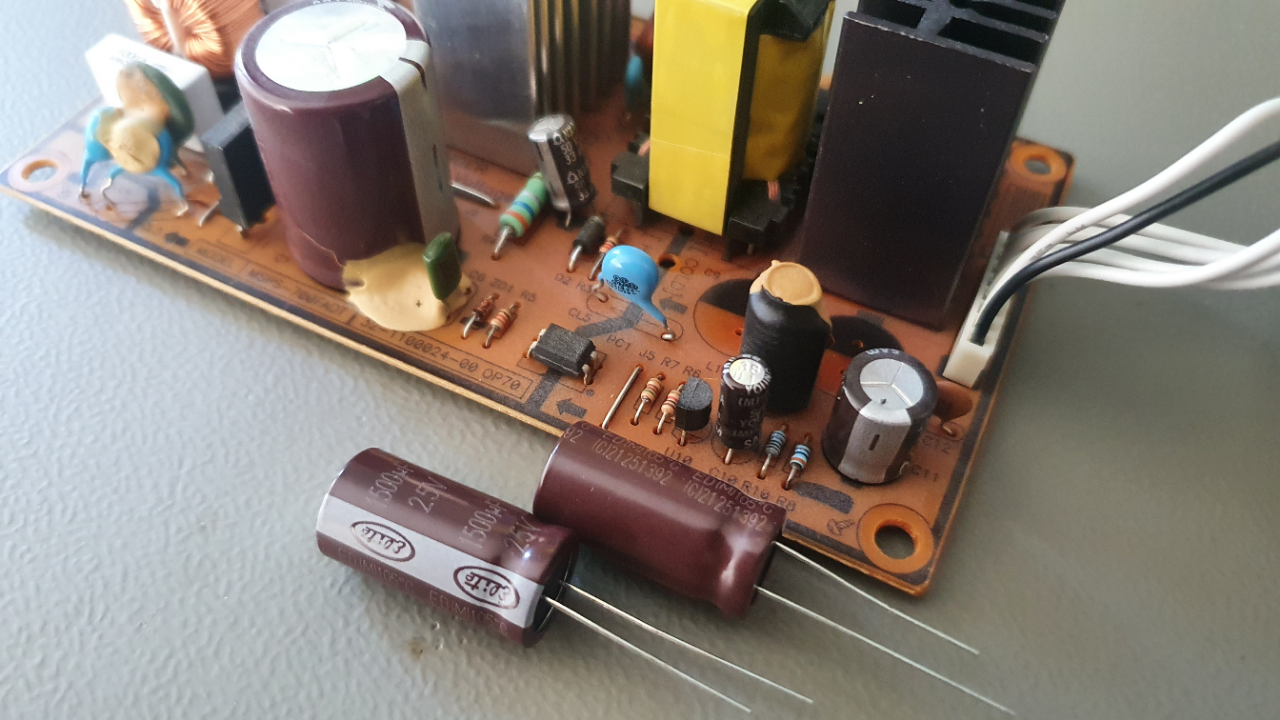
One day i heard a the HDD of my VU+ Duo2 clicking. Afer a power cycle there was only a flashing blinking white LED on the receiver. After i opend the box i saw the swelled capacitors (C8/C9) on the power supply. I removed one and make a short measurement and there was only 118.5µF […]
End Fed Antenna
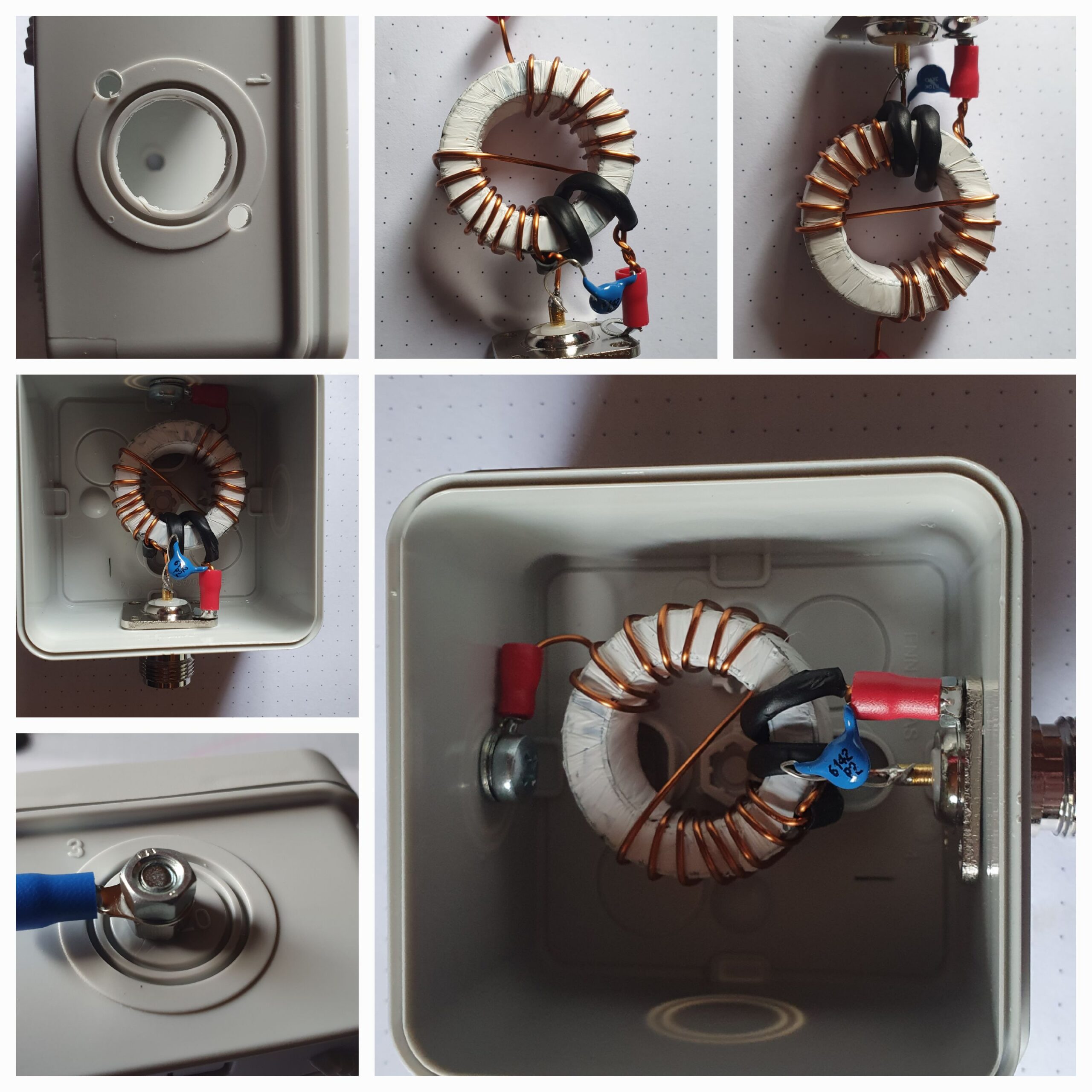
How to build an End Fed Antenna for 10m/20m and 40m. It is also possible to build one for 80m and 160m. I used this manual from PD7MAA http://pa-11019.blogspot.com/2012/04/149-transformer-for-endfed-antennas-35.html. I built the 10/20/40 version because I do not have enough space for the longer version. I ordered my missing parts from „Reichelt Elektronik“ (see the list […]
Using Rigol oscilloscope under Linux
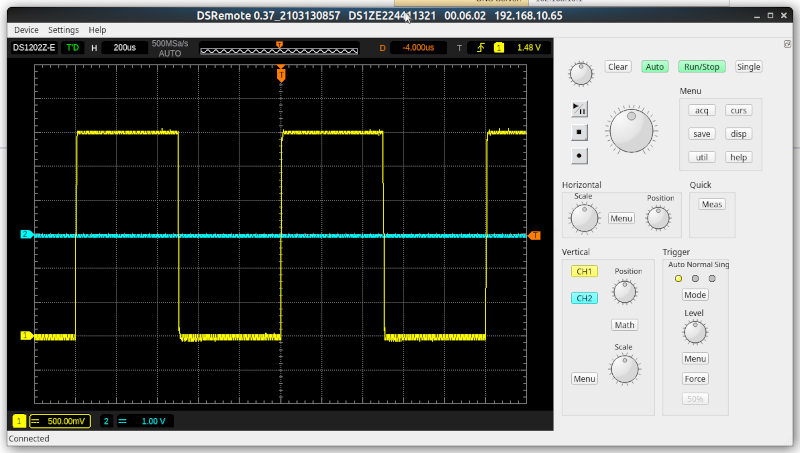
Controll and view Rigol oscilloscope with DS Remote under Linux. I’m using a Rigol DS1202 with Ubuntu 20.10 (Groovy). First install DS Remote: sudo apt-get update sudo apt-get install g++ make git qtbase5-dev-tools qtbase5-dev qt5-default git clone https://gitlab.com/Teuniz/DSRemote.git cd DSRemote qmake make -j4 sudo make install Now start DS Remote with command or use menue […]
Securing SSH with FIDO U2F (YubiKey) on Debian
FIDO devices are supported by the public key types „ecdsa-sk“ and „ed25519-sk“, along with corresponding certificate types. This is supported in OpenSSH from version 8.2. Debian Buster (stable) delivers version 7.9, so we need to install a newer version via Debian Buster Backports. If you use Debian unstable or read this when Debian Bullseye is […]
Ubuntu Yubikey U2F Auth
Yubikey is a hardware security device. You can use it for two-factor authentication. Here is an example setup for two-factor login for Ubuntu Linux. I recommend to use at least two Yubikeys. One primary and the second one as a backup device. I used mostly the official HowTo for this: https://support.yubico.com/hc/en-us/articles/360016649099-Ubuntu-Linux-Login-Guide-U2F 1. Setup First add […]
Monitoring VMWare vSphere with Grafana and Telegraf
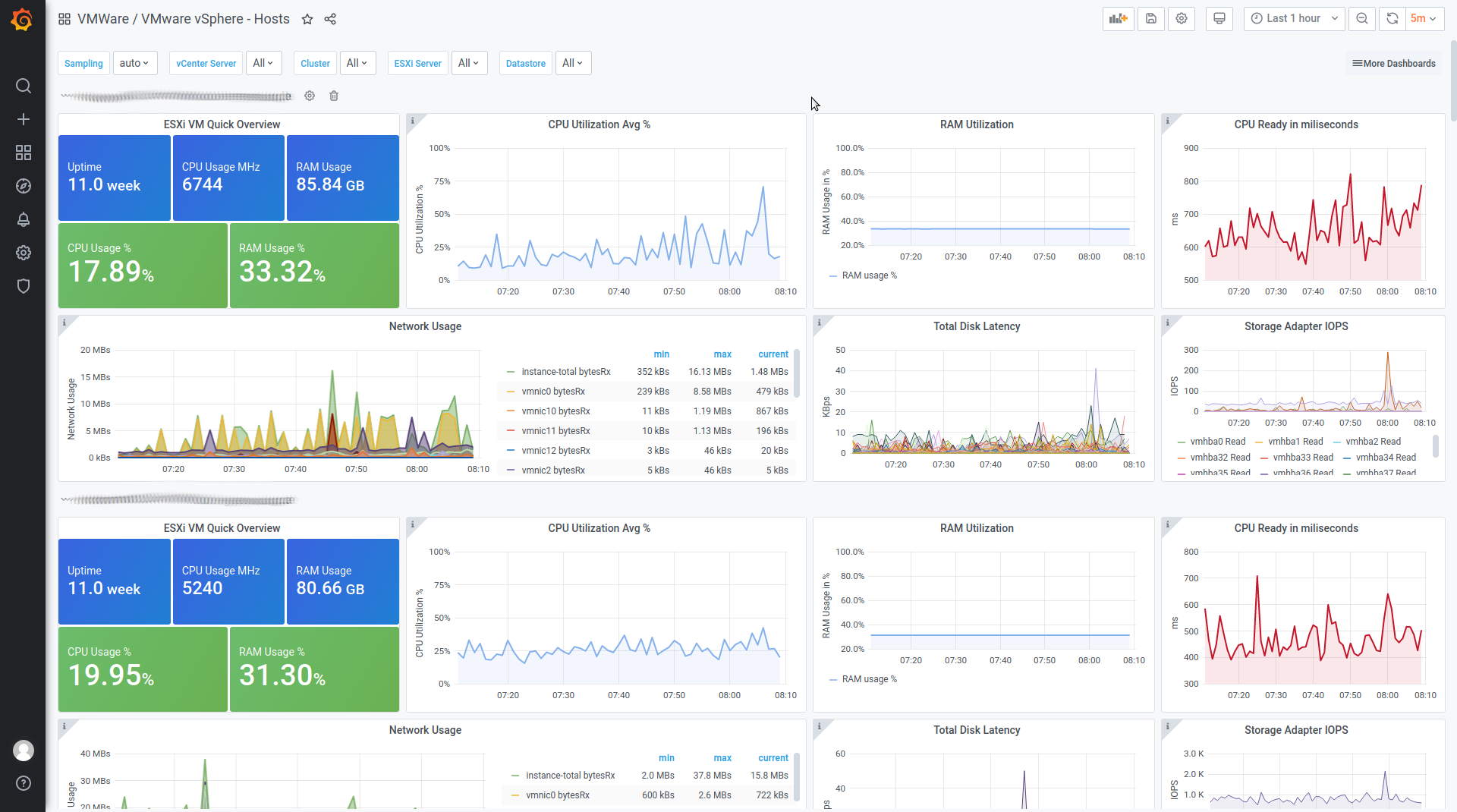
Collector Configuration You need the latest Telegraf version which includes the vSphere Plugin! On Ubuntu or Debian you can get it with: Now add the following lines to your ‚/etc/telegraf/telegraf.conf‘: ### VMWARE #### ## Realtime instance [[inputs.vsphere]] interval = „60s“ vcenters = [ „https://VCENTERSERVER/sdk“ ] username = „USERNAME@vsphere.local“ password = „PASSWORD“ insecure_skip_verify = true force_discover_on_init […]
Installing Galera Cluster with MariaDB
Galera give you some nice cluster features. Like true Multi-Master configuration, synchronous replication, conflict detection and impromes the maintenance of your MariaDB servers with automatic provisioning, node isolation and rolling upgrades. You need a Linux or Unix Operating System. I used Debian for this tutorial. Multiple nodes with an odd number of nodes. Three nodes […]
Your own search engine part 2: web interface
Please read part 1 first. Once we have built the search engine, we need a nice web interface for it. I created a simple one with AJAX Solr. You can download it here: search.tar.gz Just put it on any web server like Apache or NGINX. Settings: In ‚lib/nutch.js‘ you can configure your solr server: solrUrl […]
Docker on Debian 10 managed with Cockpit
With Cockpit, you can also manage docker containers. Here is a small example setup: Install Docker apt install apt-transport-https ca-certificates curl gnupg2 software-properties-common curl -fsSL https://download.docker.com/linux/debian/gpg | apt-key add – add-apt-repository „deb [arch=amd64] https://download.docker.com/linux/debian $(lsb_release -cs) stable“ apt update apt-cache policy docker-ce apt install docker-ce Make sure that docker is running: systemctl status docker Output: […]
Servermanagement with Cockpit on Debian 10
Cockpit is an easy and simple remote management software for Linux servers. It is now included in Debian 10 Buster.It runs on several Linux distributions, including Debian, Ubuntu, Fedora, CentOS, RHEL and Arch Linux.With Cockpit, you can manage multiple Linux servers via your web browser. Here is an simple setup to get started with Cockpit. […]