Describes howto install Ubuntu Lucid 10.04 LTS (32-Bit or 64-Bit) on a Citrix XenServer 5.6 FP1 and convert the virtual machine into a ...
Resize images (folder) with imagemagick (mogrify)
Before upload pictures to my online gallery i want to resize them to a smaller size. I don't want to open all with a tool or something. I want to run ...
Change DNS-Server in XenServer 5.6 FP1
Citrix removed the change DNS from their console. But to change DNS-Server in "/etc/resolv.conf" are not solid settings. If you reboot the server the ...
Upgrade Debian Lenny to Squeeze on Citrix XenServer

1. Update your Lenny installation Make sure that your current Lenny is up-2-date. aptitude update aptitude upgrade 2. Change sources to Squeeze Open ...
Puppet Dashboard / Reports – Ubuntu
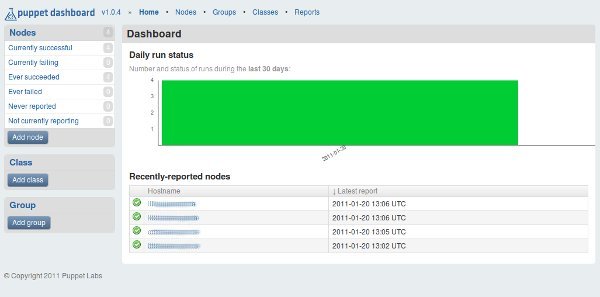
Puppet reports with "Puppet Dashboard": Installation: Add the following lines to your "/etc/apt/sources.list" file: deb ...
Install VirtualBox 4.0 on Ubuntu / Debian

1. Add new software repository Edit the file ''/etc/apt/sources.list'' with your favorite editor and add the following line depending on your Ubuntu ...
Install Tomcat 7 on Debian (Lenny) with virtual hosts and Apache2 integration

Please see new version Tomcat 8 on Debian 7 here ! This article is a new version of my Apache Tomcat 6 article. This article describes how to ...
VMWare Open Virtualization Format Tool
Command line utility that supports import and export of OVF packages. Download Download VMWare Open Virtualization Format Tool ...
Adding an additional local storage to an existing XENServer
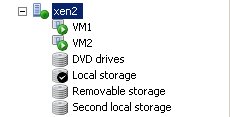
Add the new physical device "/dev/sdb" as second local storage to an existing Citrix XENServer installation: (Note: I use XENServer 5.6) xe sr-create ...
How to Use VNC to access VMware Servers
Die ".vmx" Datei der virtuellen Maschine bearbeiten und folgende Zeilen anfügen:Edit the ".vmx" file of your virtual machine and add this ...