Development
Racktables Extension 0.3.3
Update of my racktables extension: Fixes and new features: – Fix: Fixes Bug in custom report for Racks, Rows and Locations – Fix: Changed directory structure – Feature: Added variable CSV Delimiter Tested with Racktables 0.20.10 Download Current Version: Attension: New installation procedure with version 0.3.3 Move all the contents of the „plugins“ folder into […]
Racktables Extension 0.3.1
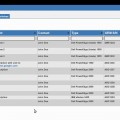
Small update of my racktables extension: Fixes and new features: – Fix: Variable Bug with new PHP versions – Fix: Custom Report now saved as UTF-8 char – Fix: Blade locations now complete – Feature: Custiom Report now with type column – Feature: Custiom Report now with container column – Feature: Custiom Report now with […]
Racktables Extension v0.3
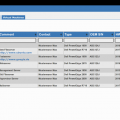
New version of my Racktables ExtensionNeue Version meiner Racktables Erweiterung. More Details here:Mehr Informationen hier: http://www.mogilowski.net/projects/racktables Custom Report:
Nagios Plugin for Racktables
My first „real“ plugin for Racktables: Download & Howto here: Racktables Works with Racktables 0.19.xx and 0.20.0
Racktables Extension v0.2

New version available !! Klick here.Neue Version verfügbar !! Bitte hier klicken. New version of my Racktables ExtensionNeue Version meiner Racktables Erweiterung. Changes:Änderungen: * IPv6 Support* Support Server chassis (Bladesystems)* Show VM Hypervisor* Support new Racktables plugin system* IPv6 Unterstützung* Unterstützung von Server chassis (Bladesysteme)* VM Hypervisor anzeige* Unterstützt neues Racktables Plugin System Read here […]
Adobe Coldfusion 9 – Debian 5.0 Lenny – Ubuntu 9.10 or 10.04
Install Apache2 webserver: aptitude install apache2 Install required libraries: aptitude install libstdc++5 Install coldfusion: Download the coldfusion installation paket (Linux bin-file) from www.adobe.com. You can use the Trial Edition and upgrade later to the full version by enter the serial number in the administration webinterface Make the downloaded file executeable and run the installer: chmod […]
Zend Server Community Edition on Ubuntu Server
The best way to install Zend Server is to follow the instructions on http://files.zend.com/help/Zend-Server-Community-Edition/zend-server-community-edition.htm#deb_installation.htm. Here the short version: 1. Installation: 1.1 Define a repository by opening the following file: „/etc/apt/sources.list“ and adding the line: deb http://repos.zend.com/zend-server/deb server non-free 1.2 Add Zend’s repository public key by running: wget http://repos.zend.com/deb/zend.key -O- |apt-key add – If you are […]
MySQL Workbench on Ubuntu
Install MySQL Workbench on Ubuntu: 1. Download the Community Edition Download the latest release from the MySQL Website. I used the 64-Bit Debian Paket for Ubuntu 9.04 it works on Jaunty (9.04) and on Karmic (9.10). 2. Installation sudo dpkg -i mysql-workbench-oss-5.1.18-1ubu904-amd64.deb 3. Use it Now you can start MySQL Workbench via your menu (Development […]
Google Chrome (Chromium) on Ubuntu
Installing Google Chrome browser on ubuntu: Chromium is an open source browser project. Google Chrome is a browser from Google, based on the Chromium project. First add the following sources to your „/etc/apt/sources.list“ depending on your ubuntu version: For Hardy: deb http://ppa.launchpad.net/chromium-daily/ppa/ubuntu hardy main deb-src http://ppa.launchpad.net/chromium-daily/ppa/ubuntu hardy main For Intrepid: deb http://ppa.launchpad.net/chromium-daily/ppa/ubuntu intrepid main deb-src […]
What do Programmers Feel About their Software?
Vor einiger Zeit habe ich bereits über die Visualisierung von Sourcecode geschrieben. A few month ago i blogged about visualizing of source code. Nun kann man sich auf www.natpryc.com die Visualisierung der Kommentare in Software anschauen. Dabei wurde die private Kommunikation der Entwickler untereinander grafisch dargestellt. Now you can see the visualisation of software comments […]